Posts

jquery:input field validation allow numeric with and without decimal

The jquery validation to input field to allow only numeric value with or without numeric value on keypress and on blur with regrex to validate it. <span>Float</span> <input type="text" name="numeric" class='allownumericwithdecimal'> <div>Numeric values only allowed  (With Decimal Point) </div>       <br/>   <br/>   <br/>    <span>Int</span> <input type="text" name="numeric" class='allownumericwithoutdecimal'> <div>Numeric values only allowed  (Without Decimal Point) </div> $(".allownumericwithdecimal").on("keypress keyup blur",function (event) {             //this.value = this.value.replace(/[^0-9\.]/g,'');      $(this).val($(this).val().replace(/[^0-9\.]/g,''));             if ((event.which != 46 || $(this).val().indexOf('.') != -1) && (event.which < 48 || event....
Recursive function: multidimensional array looping through 3 x faster

A faster way to replace the strings in multidimensional array is to json_encode() it, do the str_replace() and then json_decode() it, like this:  <?php  function  str_replace_json ( $search ,  $replace ,  $subject ){      return  json_decode ( str_replace ( $search ,  $replace ,   json_encode ( $subject ))); }  ?>  This method is almost 3x faster (in 10000 runs.) than using recursive calling and looping method, and 10x simpler in coding.  Compared to:  <?php  function  str_replace_deep ( $search ,  $replace ,  $subject ) {     if ( is_array ( $subject ))     {         foreach( $subject  as & $oneSubject )              $oneSubject  =  str_replace_deep ( $search ,  $replace ,  $oneSubject );         unset( $oneSubject );         return...

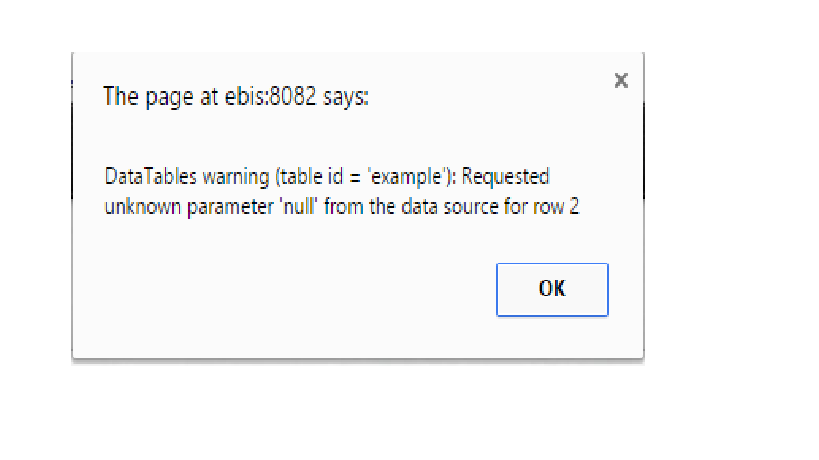
Datatables warning (table id = example) issue (solved)

Image
I have been working on the datatables jquery plugin  and created a dynamic table  with populating json data quit easily.likewise, I also have shared tutorial regarding  datatable jquery : how to create table and display link on hover table row?   but i was facing issue raised during loading the table alert of datatables apeared like I solved the issue according to the column attribute used in the creating column like aoColumns or aoColumnDefs and found solution from link below. http://legacy.datatables.net/usage/columns

Create drupal 7 theme for beginners tutorial

Image
This tutorial is for total beginners,who are looking for basic and theme creating tutorial for drupal 7.  

Drupal 7 notes for beginners

Not sure if this is really a question, but maybe I can give you some useful hints anyway. First, you mentioned that you are familiar with MVC frameworks in the other question. So, here is the first point. Drupal is *not* a MVC framework. It is a CMS (some also use the term CMF for Content Management Framework) and it [roughly follows the PAC design principle.][1] This means that there can be rather big differences for doing X in a MVC framework and doing it in Drupal. Second, Drupal is a *large* and rather complex project. It can do a lot for you out of the box, but to get to do *exactly* what you want, you will have to learn quite a lot. The [documentation][2] is usually very good (not for no reason, there is a dedicated documentation team that is working hard to improve it constantly) but you will have to read more than a single page in most cases to understand a single hook or function. Start with the linked components on the front page. For hooks, they are in general a rather simp...

Happy new year 2@l5

Image
Wish you happy new year, live a healthy and enjoy the life as last day.

Array search in php

Image
 Search string in array functionality. <?php $array_value = array ( array ( 'id' => 2, 'name' => 'Sammy'), array ( 'id' => 3, 'name' => 'ram'), array ( 'id' => 4, 'name' => 'sam'), array ( 'id' => 2, 'name' => 'sammer') ); $index_array = array_keys( array_filter( $array,function ( $x ) { return preg_match('/^D.*$/',$x['name']); } )); var_dump($index_array); ?>